Checking in, in a few taps.
One app, two ways: a tablet at the door in your colours, or your employees’ own phones with the QR code at work. Every check-in goes straight into your hours — and into Dimona.
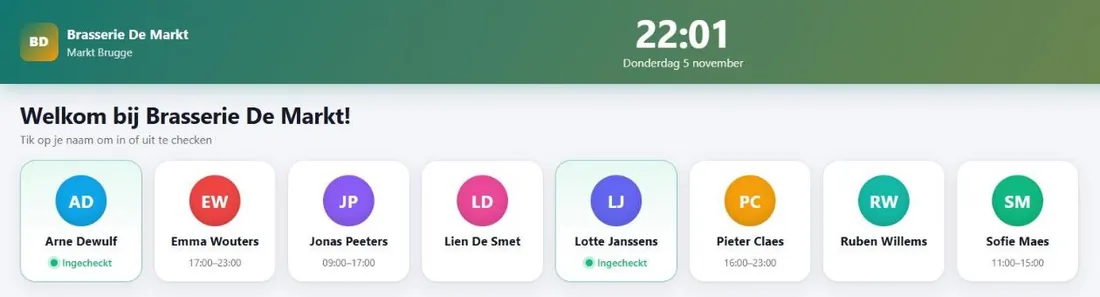
A tablet at the door
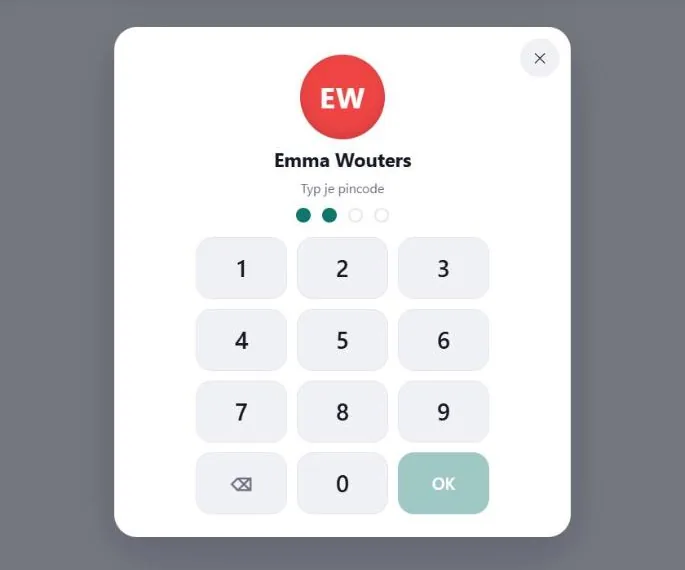
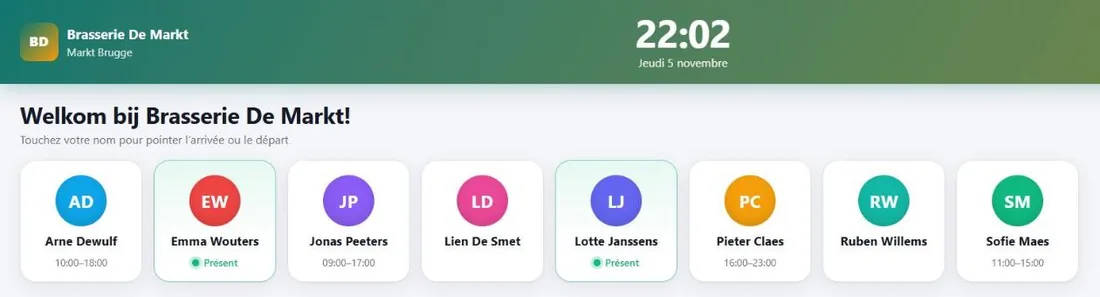
Your team taps their name and checks in with a PIN, their face or a fingerprint. A tablet only shows the people of its own location.
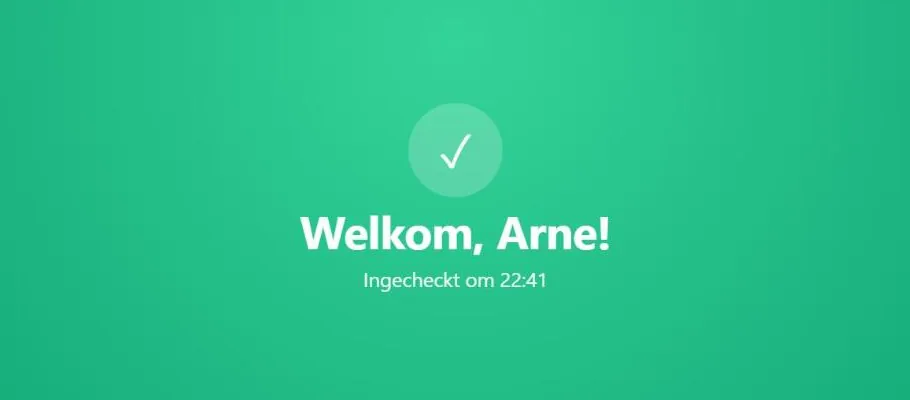
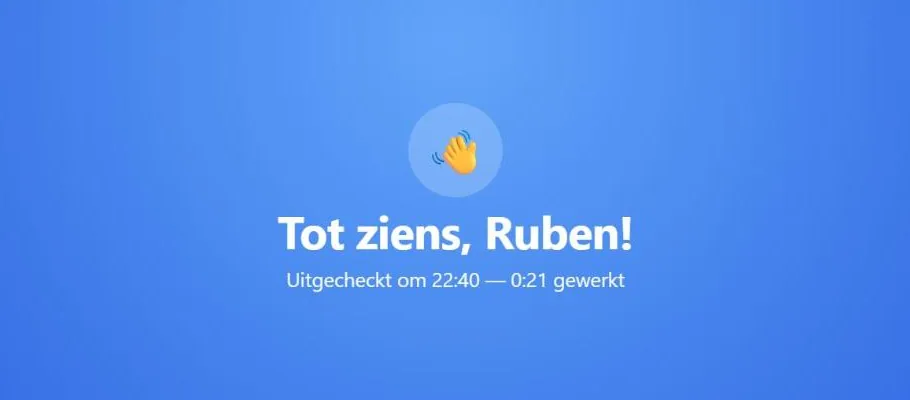
Welcome — and goodbye
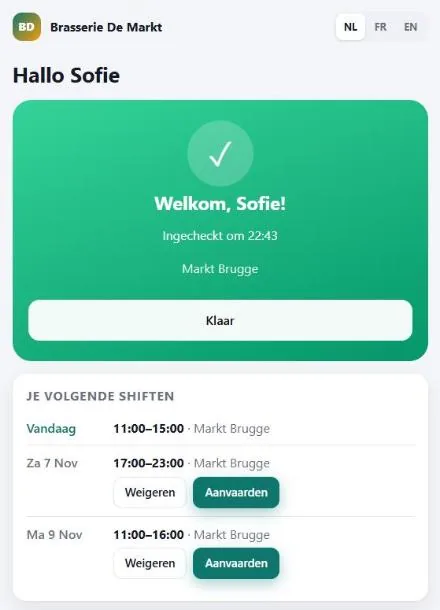
A clear confirmation on arrival and departure, with the time worked. Breaks don’t count.
Or simply with their own phone
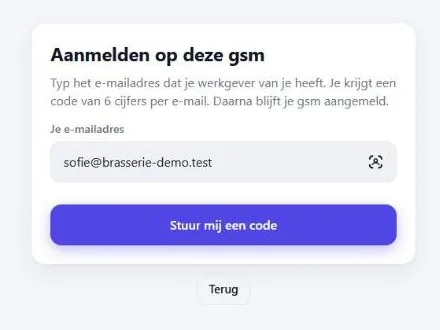
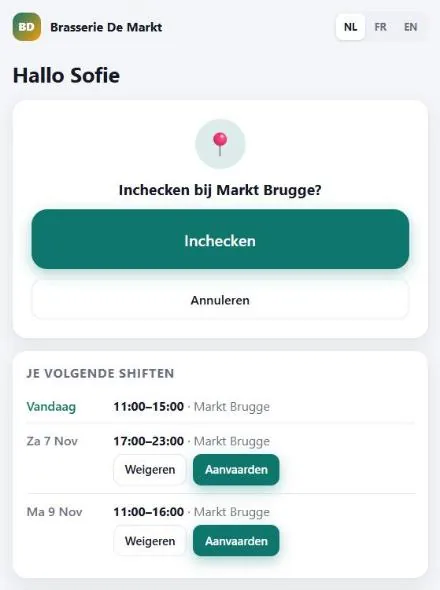
No tablet needed: hang the QR poster. Your employee scans it, signs in once with their e-mail address and a code — after that it’s scan and confirm. Their position is checked.
Accepting shifts and availability
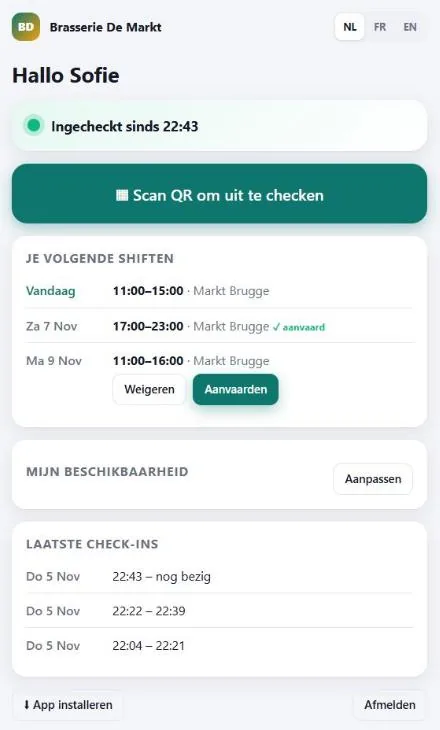
Switch it on and employees accept or decline their shifts in the app, and mark the days they can work. Only accepted shifts are declared to Dimona.
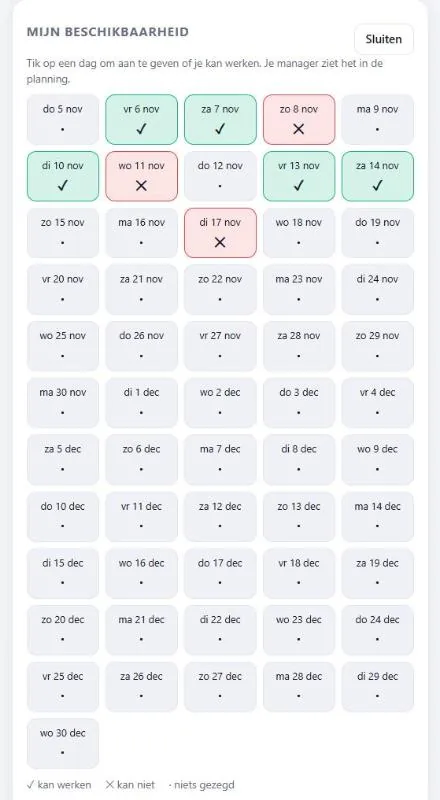
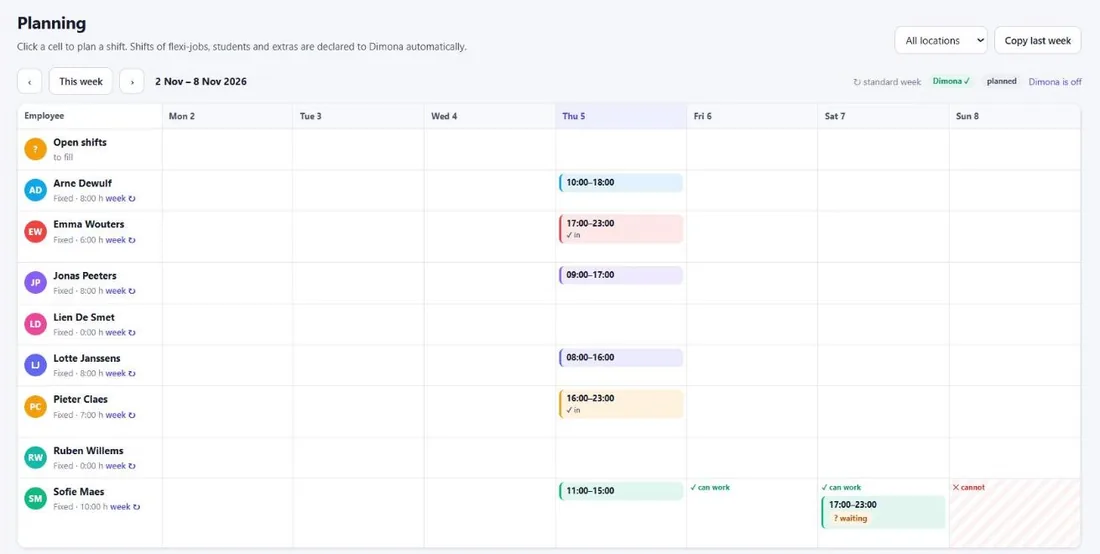
You see it all in the planning
Availability, who still has to accept, who is in: it’s all in your weekly planning.
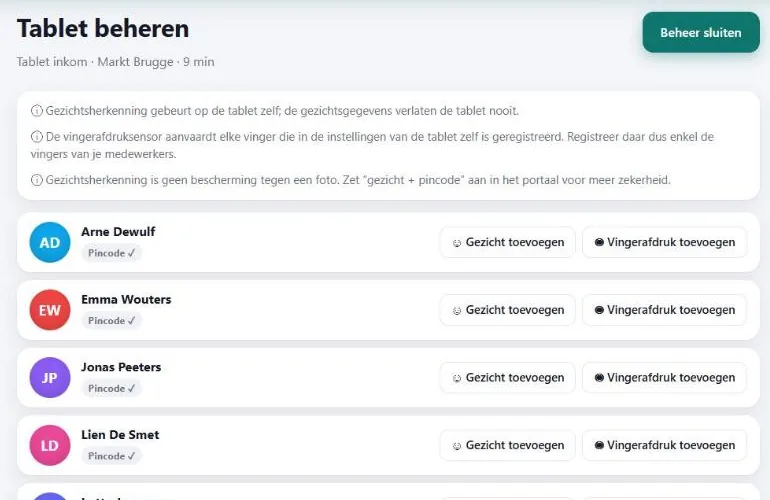
Face and fingerprint, privately
In manager mode you add faces and fingerprints. Face recognition runs on the tablet itself: the images never leave the device.
Dutch, French and English
Everyone picks their language with one tap.
How do you get the app?
Create an account and open “Check-in app” in the portal. There you install the app on your tablet and get your team started. The app is only available to signed-in businesses.